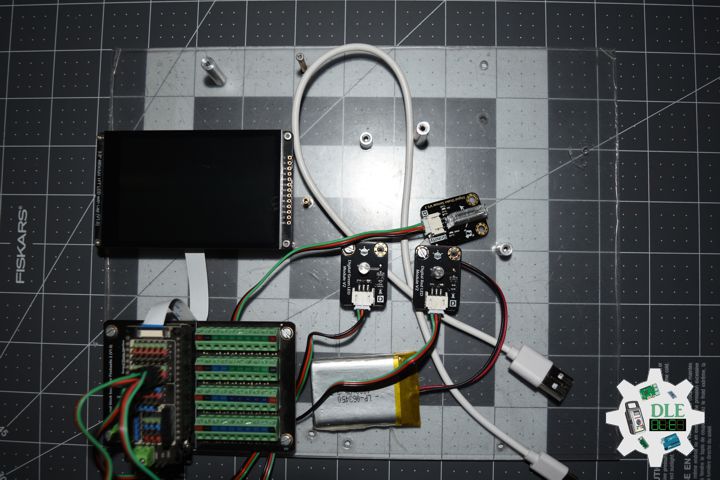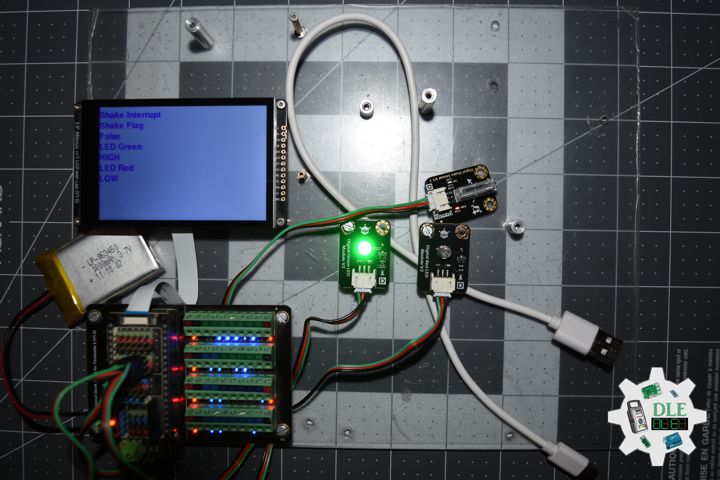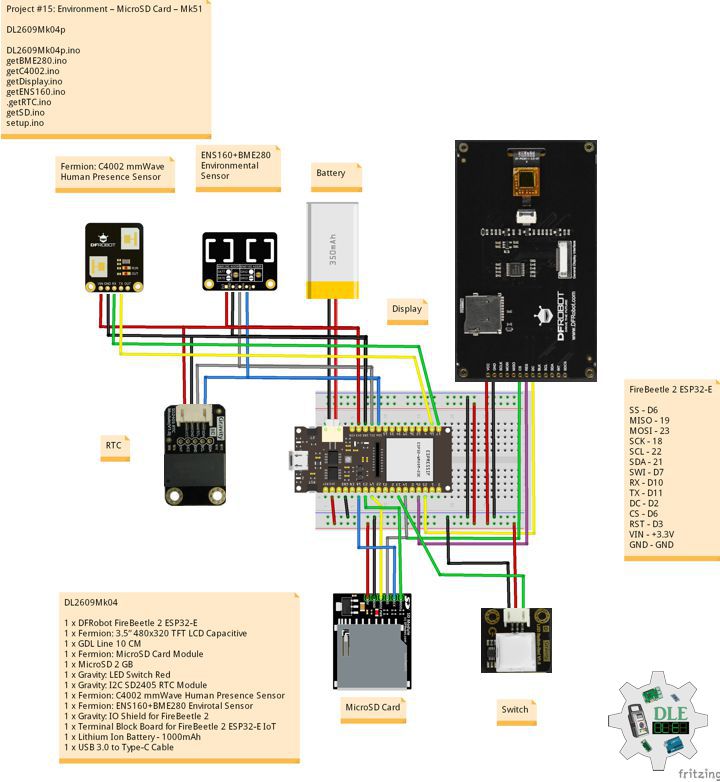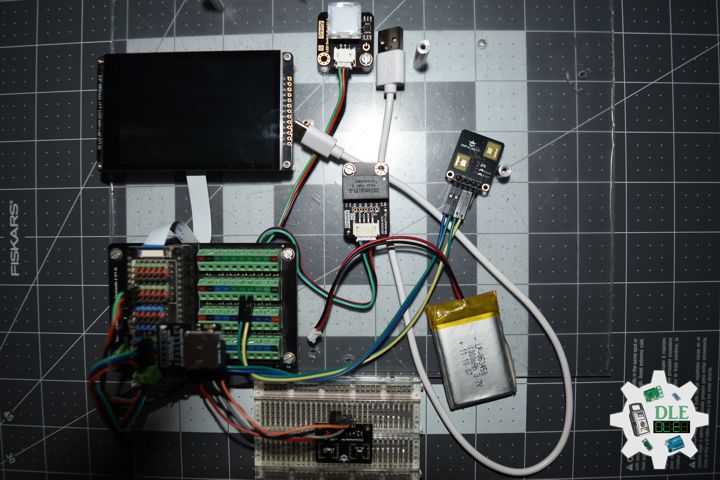
——
#DonLucElectronics #DonLuc #TextoSpeech #Sensors #FireBeetle2ESP32E #ESP32 #Display #IoT #Project #Fritzing #Programming #Electronics #Microcontrollers #Consultant
——
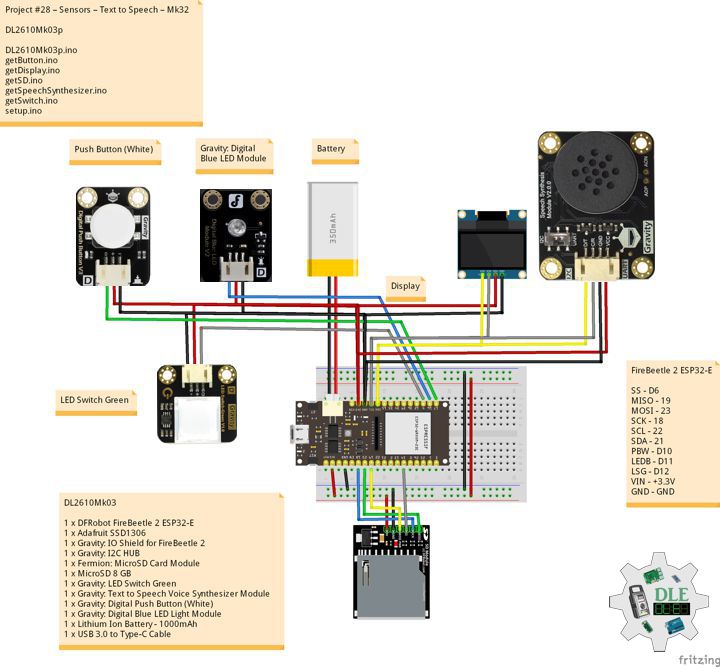
——
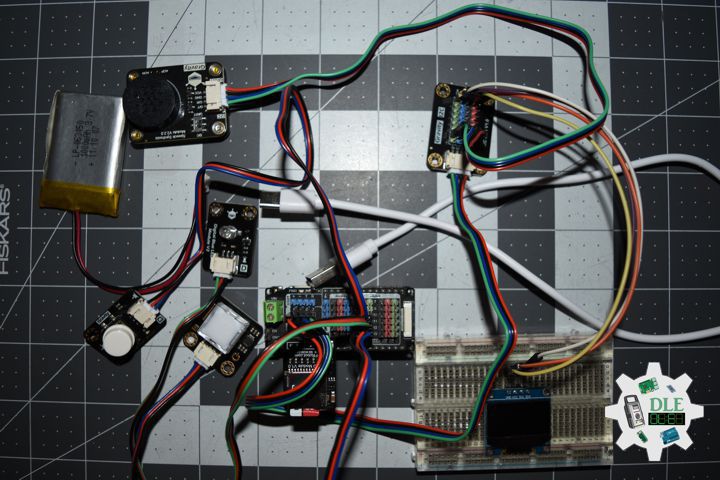
——
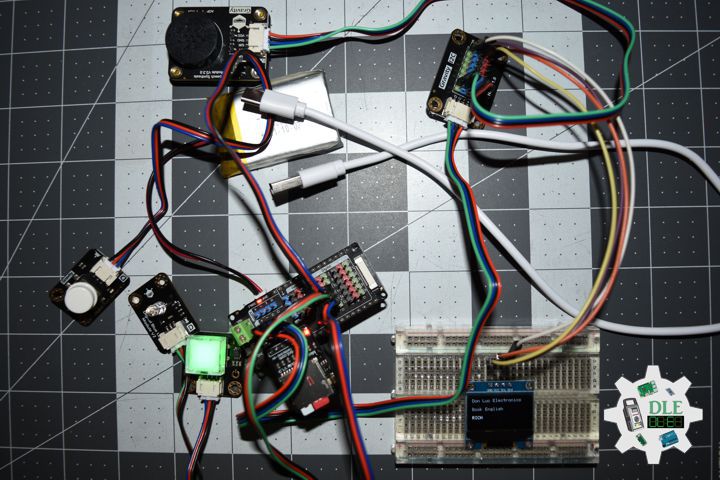
——
Gravity: Text to Speech Voice Synthesizer Module
The Text-to-Speech module enables easy integration of voice functionality into various projects. It supports both Chinese and English languages, providing clear and natural pronunciation. The module can also broadcast the current time and environmental data, and when combined with a speech recognition module, it enables conversational interactions with your projects. The module uses I2C and UART communication modes, with a gravity interface, ensuring compatibility with most main controllers on the market, such as Arduino, micro:bit, Firebeetle Series, LattePanda, and Raspberry Pi. Additionally, it includes a built-in speaker, eliminating the need for an external one. The primary applications for this module include robot voice, voice broadcast, voice prompt, and text reading.
DL2610Mk03
1 x DFRobot FireBeetle 2 ESP32-E
1 x Adafruit SSD1306
1 x Gravity: IO Shield for FireBeetle 2
1 x Gravity: I2C HUB
1 x Fermion: MicroSD Card Module
1 x MicroSD 8 GB
1 x Gravity: LED Switch Green
1 x Gravity: Text to Speech Voice Synthesizer Module
1 x Gravity: Digital Push Button (White)
1 x Gravity: Digital Blue LED Light Module
1 x Lithium Ion Battery – 1000mAh
1 x USB 3.0 to Type-C Cable
DL2610Mk03p
DL2610Mk03p.ino
/****** Don Luc Electronics © ******
Software Version Information
Project #28 – Sensors – Text to Speech – Mk32
28-32
DL2610Mk03p.ino
DL2610Mk03
1 x DFRobot FireBeetle 2 ESP32-E
1 x Adafruit SSD1306
1 x Gravity: IO Shield for FireBeetle 2
1 x Gravity: I2C HUB
1 x Fermion: MicroSD Card Module
1 x MicroSD 8 GB
1 x Gravity: LED Switch Green
1 x Gravity: Text to Speech Voice Synthesizer Module
1 x Gravity: Digital Push Button (White)
1 x Gravity: Digital Blue LED Light Module
1 x Lithium Ion Battery - 1000mAh
1 x USB 3.0 to Type-C Cable
*/

// Include the Library Code
// Wire
#include <Wire.h>
// SD Card
// File System
#include "FS.h"
// SD Card
#include "SD.h"
// SPI (Serial Peripheral Interface)
#include "SPI.h"
// Speech Synthesis
#include <DFRobot_SpeechSynthesis_V2.h>
// Adafruit SSD1306
#include <Adafruit_SSD1306.h>

// Adafruit SSD1306
#define SCREEN_WIDTH 128
#define SCREEN_HEIGHT 64
#define OLED_RESET -1
Adafruit_SSD1306 display(SCREEN_WIDTH, SCREEN_HEIGHT, &Wire, OLED_RESET);

// Speech Synthesis
DFRobot_SpeechSynthesis_I2C ss;

// Button
// The number of the pushbutton pin
const int iButton = D10;
// Variables will change:
int iButtonState = 0;

// Switch
// The number of the pushbutton pin
const int iSwitch = D12;
// variables will change:
int switchState = 0;
int iState = 0;

// SD shield
const int chipSelect = D6;
// FullString
String FullString = "";
long lineToRead = 0;
// Random
long randNumber;
String lineContent = "";
//String zzzzzz = "";

// D11 LED Blue
const int iLedBlue = D11;

// Software Version Information
String sver = "28-32";

void loop() {

  // isButton
  isButton();

  // isDisplay Button
  isDisplayButton();

}
getButton.ino
// Button
// isButton
void isButton(){

  iButtonState= digitalRead(iButton);  // read input value

  if (iButtonState == HIGH) {

    //  Switch
    isSwitch();

   } else {

      // Turn LED Off
      digitalWrite(iLedBlue, LOW);

   }

}
getDisplay.ino
// Adafruit SSD1306
// isDisplayUID
void isDisplayUID(){

    // Intentar ambas direcciones
  if(!display.begin(SSD1306_SWITCHCAPVCC, 0x3C)) {
    //Serial.println("Error con 0x3C, probando 0x3D...");
    if(!display.begin(SSD1306_SWITCHCAPVCC, 0x3D)) {
      //Serial.println("Error OLED en ambas direcciones");
      return;
    }
  }

  // Clear Display
  display.clearDisplay();
  display.setTextSize(1);
  display.setTextColor(SSD1306_WHITE);
  // Don Luc Electronics
  display.setCursor(0,0);
  display.println("Don Luc Electronics");
  // Motor Drive
  display.setCursor(0,20);
  display.print("DL2610Mk03");
 // Version
  display.setCursor(0,20);
  display.print("Version");
  display.setCursor(0,40);
  display.print( sver );
  // Display
  display.display();

}
// isDisplay Button
void isDisplayButton(){

  // Clear Display
  display.clearDisplay();
  display.setTextSize(1);
  display.setTextColor(SSD1306_WHITE);
  // Don Luc Electronics
  display.setCursor(0,0);
  display.println("Don Luc Electronics");
  //
  display.setCursor(0,20);
  if (iState == 1) {

    // English
    display.print("Book English");

  }
  else {

    // Spanish
    display.print("Book Spanish");

 }

  // Line Content
  display.setCursor(0,40);
  display.print( lineContent );
  // Display
  display.display();

}
getSD.ino
// MicroSD Card
// MicroSD Setup
void isSetupSD() {

    // MicroSD Card
    pinMode( chipSelect , OUTPUT );

    // MicroSD Card
    if(!SD.begin()){
        Serial.print("MicroSD Card No");;
        return;
    }

    uint8_t cardType = SD.cardType();

    // CARD NONE
    if(cardType == CARD_NONE){
        ;
        return;
    }

    // SD Card Type
    if(cardType == CARD_MMC){
        ;
    } else if(cardType == CARD_SD){
        ;
    } else if(cardType == CARD_SDHC){
        ;
    } else {
        ;
    }

    // Size
    uint64_t cardSize = SD.cardSize() / (1024 * 1024);

}
// MicroSD Card
/*void isSD() {

  zzzzzz = "";

  //DLE|Version|
  zzzzzz = "DLE|" + sver + "|"
  //
  + "|*\r"

  // msg + 1
  char msg[zzzzzz.length() + 1];

  zzzzzz.toCharArray(msg, zzzzzz.length() + 1);

  // Append File
  appendFile(SD, "/DLEDATA.txt", msg );

*/
// Read a specific line (1-indexed)
String readSpecificLine(fs::FS &fs, const char * path, int targetLine) {
  File file = fs.open(path);
  if(!file || file.isDirectory()){
    return "Error: Failed to open file";
  }

  int currentLine = 1;
  String lineContent = "";

  while(file.available()){
    char ch = file.read();

    if (currentLine == targetLine) {
      if (ch == '\n' || ch == '\r') {
        file.close();
        return lineContent; // Found line, return it
      }
      lineContent += ch;
    }

    if (ch == '\n') {
      currentLine++;
    }

    if (currentLine > targetLine) {
      break;
    }
  }

  file.close();

  if (currentLine == targetLine && lineContent.length() > 0) {
    return lineContent; // Return last line if it lacks a trailing newline
  }

  return "Error: Line not found";
}
// List Dir
void listDir(fs::FS &fs, const char * dirname, uint8_t levels){

    // List Dir
    dirname;

    File root = fs.open(dirname);

    if(!root){
        return;
    }

    if(!root.isDirectory()){
        return;
    }

    File file = root.openNextFile();

    while(file){
        if(file.isDirectory()){
            file.name();
            if(levels){
                listDir(fs, file.name(), levels -1);
            }
        } else {
            file.name();
            file.size();
        }
        file = root.openNextFile();
    }

}
// Write File
void writeFile(fs::FS &fs, const char * path, const char * message){

    // Write File
    path;

    File file = fs.open(path, FILE_WRITE);

    if(!file){
        return;
    }

    if(file.print(message)){
        ;
    } else {
        ;
    }

    file.close();

}
// Append File
void appendFile(fs::FS &fs, const char * path, const char * message){

    // Append File
    path;

    File file = fs.open(path, FILE_APPEND);

    if(!file){
        return;
    }

    if(file.print(message)){
        ;
    } else {
        ;
    }

    file.close();

}
getSpeechSynthesizer.ino
// Speech Synthesis
// isSetupSS
void isSetupSS(){

  // Begin
  ss.begin();
  // Set voice volume to 9
  ss.setVolume(9);
  // Set playback speed to 9
  ss.setSpeed(7);
  // Set tone to 5
  ss.setTone(5);
  // For English, speak word
  ss.setEnglishPron(ss.eWord);

}
getSwitch.ino
// Switch
// isSwitch
void isSwitch(){

  // Turn LED off:
  digitalWrite(iLedBlue, LOW);

  randNumber = random(1, 6);

  if ( randNumber == 4 ) {

     // Switch
     switchState = digitalRead(iSwitch);

     if (switchState == HIGH) {

       // Turn LED On:
       digitalWrite(iLedBlue, HIGH);

       iState = 1;

       // English
       // Example: Read line from "english/engliso.txt"
       lineToRead = random(1, 2048);

       lineContent = readSpecificLine(SD, "/english/engliso.txt", lineToRead);

       if (lineContent != "") {

         Serial.print("Line ");
         Serial.print(lineToRead);
         Serial.print(": ");
         Serial.println(lineContent);
         // Speak
         ss.speak( lineContent );

      } else {

         Serial.println("Line not found or file error.");

      }


    } else {

     // Turn LED On:
     digitalWrite(iLedBlue, HIGH);

     iState = 0;

      // Spanish
      // Example: Read line from "spanish/spanisho.txt"
      lineToRead = random(1, 1938);

      lineContent = readSpecificLine(SD, "/spanish/spanisho.txt", lineToRead);

      if (lineContent != "") {

         Serial.print("Line ");
         Serial.print(lineToRead);
         Serial.print(": ");
         Serial.println(lineContent);
         // Speak
         ss.speak( lineContent );

      } else {

         Serial.println("Line not found or file error.");

      }

    }

  }

}
setup.ino
// Setup
void setup()
{

  // Delay
  delay(100);

  // Serial
  Serial.begin(9600);

  // Delay
  delay( 100 );

  // LED Blue
  pinMode(iLedBlue, OUTPUT);

  // Delay
  delay(100);

  // iButton
  pinMode(iButton, INPUT);

  // Delay
  delay(100);

  delay(100);

  // iSwitch
  pinMode(iSwitch, INPUT);

  // Wire
  Wire.begin();

  // Delay
  delay(100);

  //MicroSD Card
  isSetupSD();

  // Delay
  delay(100);

  // isSetupSS
  isSetupSS();

  // Delay
  delay(100);

  // Random Seed
  randomSeed(analogRead(A3));

  // Delay
  delay( 100 );

  // Adafruit SSD1306 - UID
  // Don Luc Electronics
  // Versioc
  isDisplayUID();

  // Delay
  delay( 5000 );

}
——
People can contact us: https://www.donluc.com/?page_id=1927
Consultant, R&D, Electronics, IoT, Teacher and Instructor
- Programming Language
- Single-Board Microcontrollers (PIC, Arduino, Raspberry Pi, Arm, Silicon Labs, Espressif, Etc…)
- IoT
- Wireless (Radio Frequency, Bluetooth, WiFi, Etc…)
- Robotics
- Automation
- Camera and Video Capture Receiver Stationary, Wheel/Tank , Underwater and UAV Vehicle
- Unmanned Vehicles Terrestrial, Marine and UAV
- Machine Learning
- Artificial Intelligence (AI)
- RTOS
- Sensors, eHealth Sensors, Biosensor, and Biometric
- Research & Development (R & D)
- Consulting
Follow Us
Luc Paquin – Curriculum Vitae – 2026
https://www.donluc.com/luc/LucPaquinCVEng2026Mk01.pdf
https://www.donluc.com/luc/
Web: https://www.donluc.com/
Web: https://www.jlpconsultants.com/
Facebook: https://www.facebook.com/neosteam.labs.9/
YouTube: https://www.youtube.com/@thesass2063
DFRobot: https://learn.dfrobot.com/user-10186.html
TikTok: https://www.tiktok.com/@luc.paquin8
Hackster: https://www.hackster.io/luc-paquin
LinkedIn: https://www.linkedin.com/in/jlucpaquin/
Don Luc